You Don't Need to Write Prompts. The Era of AI Image Generation by Just "Arranging Reference Images"
Have you ever tried AI image generation and thought, "I don't know how to write prompts," or "Even if I line up some words, it doesn't turn out like the picture I imagined"? Even after reading tutorial articles for Midjourney or Stable Diffusion tools, your hands just stop when it comes time to write them yourself—this is a path many artists go down at least once.
Actually, the gateway to AI image generation isn't just "writing prompts." There is a method to use the natural workflow you already do in illustration and painting—"gathering, arranging, and combining reference images"—as the direct trigger for generation. In this article, we'll outline why prompts feel so difficult, and introduce the Ktlyst approach, which lets you generate by simply arranging reference images, while comparing it with Midjourney and Stable Diffusion tools.
Why Do AI Image Generation "Prompts" Feel So Difficult?
In Midjourney and Stable Diffusion, you need to translate everything—subject, composition, art style, lighting, etc.—into words before handing it over to the AI. However, the images in our heads are inherently "pictures," not "words." The very act of translating visual information like color, texture, and atmosphere into accurate words is the biggest hurdle in creating prompts. The sheer volume of online articles explaining "how to write prompts and tips" speaks to the magnitude of this struggle.
The Concept of "Arranging Reference Images" Instead of Text
Ktlyst adopts a design that skips this "translation into words" step entirely. The idea is simple: the act of "gathering, arranging, and combining reference images" that artists routinely perform is used directly as a substitute for a prompt.
How What You See Becomes the Prompt
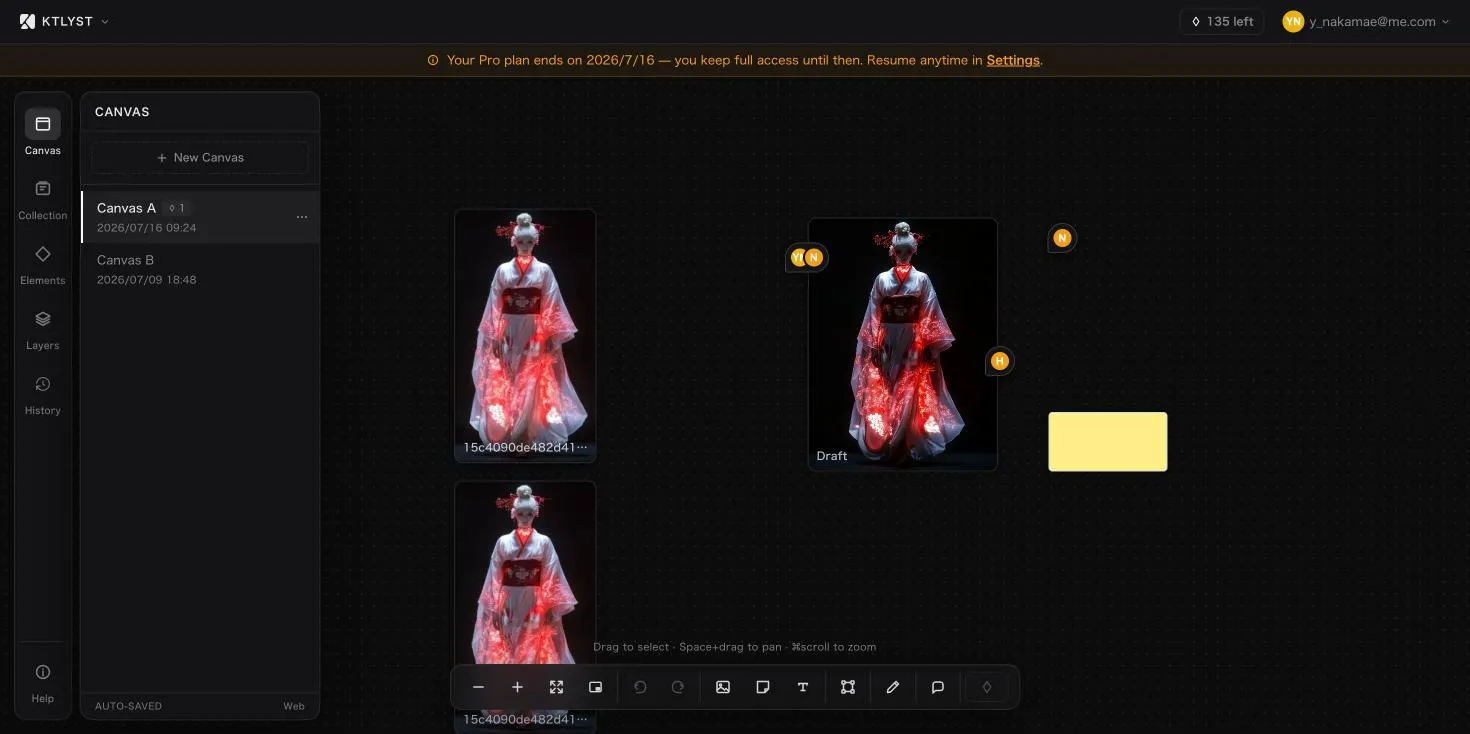
On the Ktlyst canvas, you can freely place images you want to reference. By simply arranging character references, background photos, color palettes, and rough sketches by roles such as "Main," "Background," and "Composition," you are ready to generate without writing any text.
The Ktlyst canvas. Just by arranging reference images by roles like "Draft," "Sketch," and "Composition," they become the materials for the next generation.
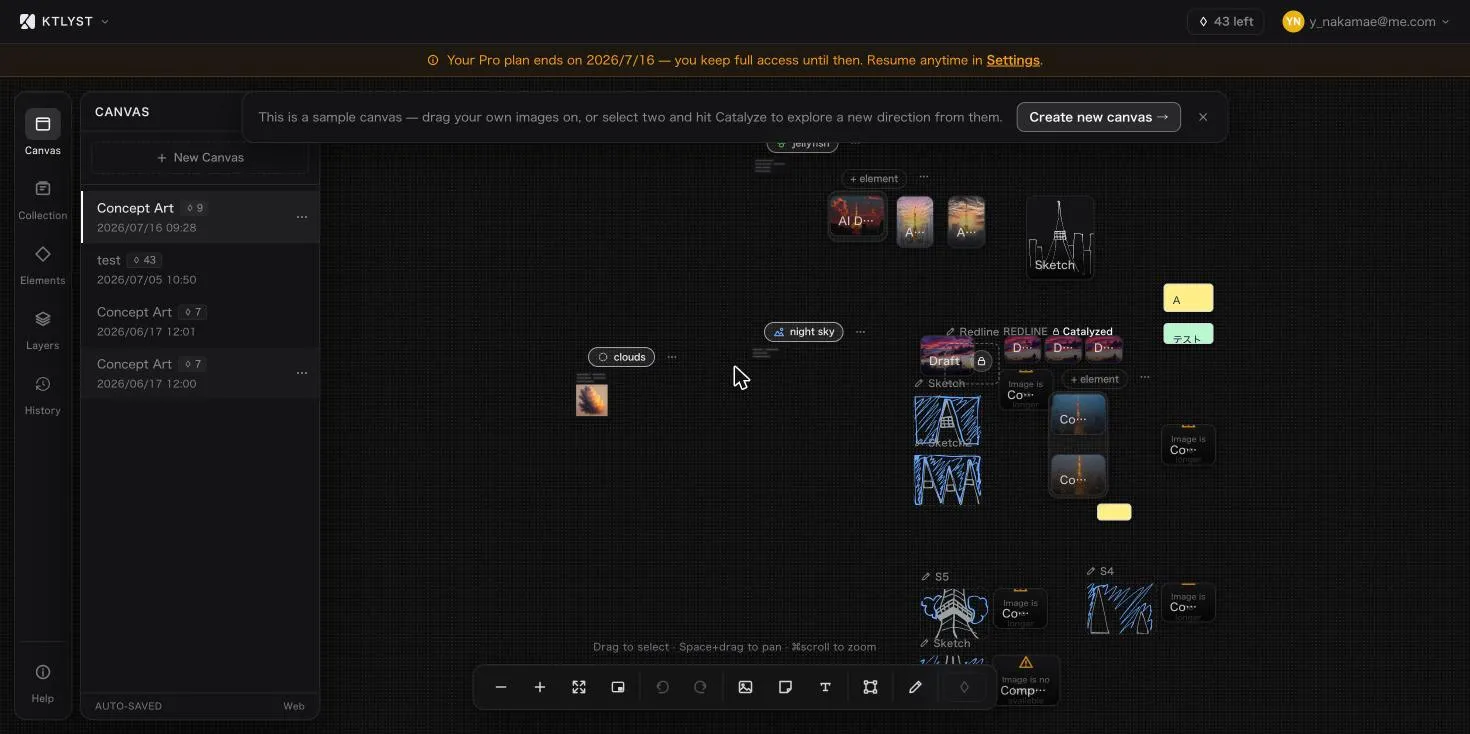 The Ktlyst canvas. Just by arranging reference images by roles like "Draft," "Sketch," and "Composition," they become the materials for the next generation.
"Automatic Theme Detection" That Reads Common Themes from Multiple References
Ktlyst has a built-in system where, when multiple images with the same role are gathered, the AI automatically reads the visual themes common to them. For example, simply by lining up a few photos of glowing jellyfish, the system detects the subject "bioluminescent jellyfish" and automatically reflects it in the prompt for the next generation. Users don't need to put "what they want drawn" into words; the collected images themselves become the spokesperson for their intent.
Differences from Midjourney and Stable Diffusion (ComfyUI)
Tools Built on the Premise of Writing Prompts
Major AI image generation services like Midjourney and DALL-E are fundamentally designed around text prompts. Even with better language support now, getting closer to your target picture requires carefully specifying the subject, composition, art style, and lighting in words, which takes time to get used to.
ComfyUI Systems That Require Node Connections and IP-Adapter/ControlNet Setup
ComfyUI, a Stable Diffusion-based tool, is appealing for its high degree of freedom, allowing you to incorporate non-text visual controls (like character transfer via IP-Adapter, or composition and background control via ControlNet). On the other hand, it requires manually connecting nodes to build a workflow, and we often see people say it "looks too difficult" or that they "gave up." In fact, many articles and experiences dealing with the struggle of "ComfyUI is difficult" are posted online.
Ktlyst Starts from "Just Arranging"
What Ktlyst aims for is a different entry point from these text-based or node-based workflows. Instead of connecting nodes, just arranging reference images on the canvas automatically applies the same kind of technology as IP-Adapter and ControlNet internally. Even if you don't understand how the mechanics work, the intuitive operation of "gathering and arranging" will lead you to visually highly-accurate generation.
IP-Adapter and ControlNet are Working Under the Hood
Even if we say "no prompts required," it's not magic. Behind Ktlyst's ability to achieve high-accuracy generation from reference images, proven technologies in the image generation field are being used.
IP-Adapter to Inherit Characters
Reference images placed as "Main" (subject) use a technology called IP-Adapter to transfer style and character features to the new image. IP-Adapter is great at directly reading nuances like "this kind of vibe for a character"—which are hard to explain in text—straight from a single image.
ControlNet-Depth to Preserve Background Depth
Reference images placed as "Background" are replaced with a new background while preserving the depth structure using ControlNet-Depth. It has the advantage of maintaining depth and spatial consistency much easier than trying to explain the background in text.
These technologies are normally used by building nodes in tools like ComfyUI, but in Ktlyst, they can be used without worrying about the backend settings just through the operation of "placing images by role."
How to Use Ktlyst: 3 Steps
- Gather reference images——Place the images you have on hand onto the canvas, such as the character you want to draw, the landscape for the background, or color references.
- Assign roles——Set roles for each image, such as "Main," "Background," or "Composition" (the AI also offers automatic suggestions).
- Press Catalyze (Generate)——Generation begins from the combination of images you placed, even without writing text. You can also add supplementary text if necessary.
Recommended For
For those who take a lot of time translating prompts into words, those struggling with Midjourney or DALL-E not producing the picture they envisioned, or those who felt ComfyUI's node operations were too difficult and gave up, Ktlyst's approach of just arranging reference images might be a perfect fit. Conversely, for advanced users who want to intricately fine-tune parameters with text, traditional node-based tools may be better suited in some situations.
Summary
The struggle that "AI image generation prompts are difficult" is, in other words, "the task of translating the picture in your head into words is difficult." Ktlyst is designed to skip this translation task entirely and directly turn the act of "gathering and arranging reference images"—which artists do routinely—into the prompt itself, helping even those who are bad at text to arrive at an image close to their imagination. If you are struggling with how to write prompts, why not step away from text for a bit and try starting by arranging some reference images?
Ready to see it for yourself? Try Ktlyst free → — five canvases, 15 Catalyze runs a month, and one Pinterest board import, no credit card and no prompts to write.