Ktlyst vs PureRef: An Honest Comparison for Artists (2026)
Ktlyst vs PureRef: An Honest Comparison for Artists (2026)
PureRef is one of the most loved tools in the concept art world — and it earned that. This is an honest comparison from the team behind Ktlyst: where PureRef is still the better choice, where it stops, and what Ktlyst does differently. No winner-takes-all scorecard.
TL;DR — If you work offline, on one desktop machine, and all you need is a fast board of images floating over your painting app: keep PureRef. It's excellent and it's free. If your references need to follow you between a desktop and an iPad, live partly on Pinterest, or you want to sketch and think on top of them: that's the gap Ktlyst was built for.
What PureRef does brilliantly
Any comparison that skips this section is marketing. PureRef's strengths are real:
- Free (pay-what-you-want). Hard to argue with.
- Works fully offline. No account, no server, no internet required — your references are just a file on your machine.
- Extremely lightweight. Opens instantly, handles huge boards, never gets between you and your painting app.
- Always-on-top overlay that artists have built muscle memory around for a decade.
- Private by default. Nothing ever leaves your computer.
If that list covers your workflow, you can stop reading here — PureRef remains the right tool, and we mean that.
Where PureRef stops
PureRef is a desktop application, and that's also its boundary:
- No iPad or tablet app. In 2026 it still runs only on desktop — your board can't follow you to the sofa, the train, or a client meeting.
- Files live on one machine. Moving between computers means exporting and re-opening files yourself.
- Pinterest is a separate world. If you curate on Pinterest (most of us do), getting a board into PureRef means saving and re-importing images one by one.
- References stay static. PureRef collects and arranges — deciding where the direction is heading still happens somewhere else.
None of these are flaws — they're outside what PureRef set out to do. They're just the reasons people search "PureRef for iPad".
What Ktlyst does differently
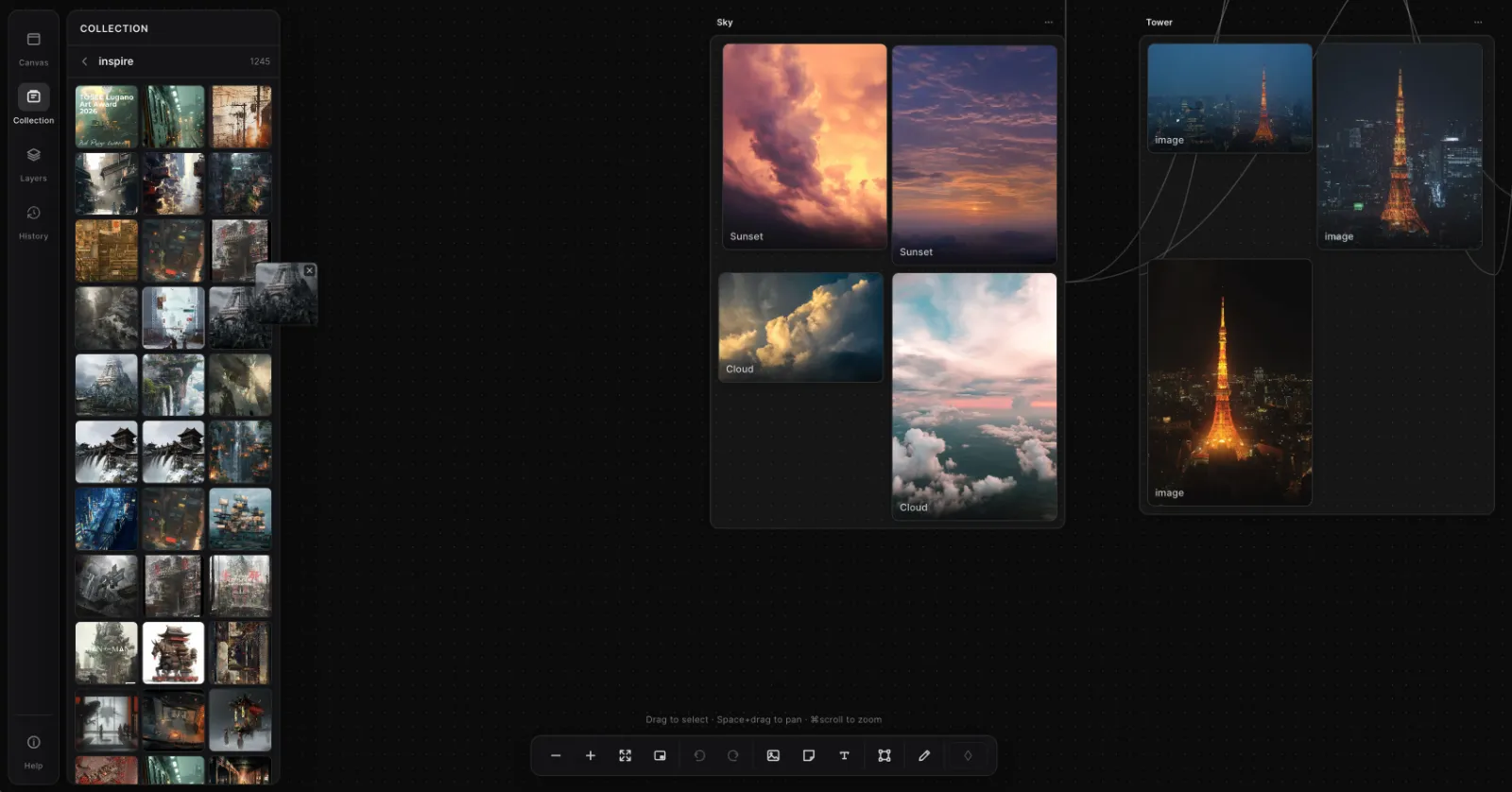
Ktlyst is a reference board that lives in the browser, built around the parts of the workflow PureRef leaves out:
- Any device, no installation. The same canvas opens on desktop, iPad, and tablet. Start arranging on your workstation, keep going on the iPad — boards sync automatically.
- Pinterest boards, imported in one click. Connect your account and pull an entire board onto the canvas, every pin laid out and ready.
- Frames from video and GIFs. Scrub a video, grab the exact frames you want as references.
- Sketch and note directly on the board. Rough out composition ideas and pin notes where they belong — the board becomes a thinking surface, not just storage.
- A floating reference window, so your references can sit beside Photoshop, Blender, or Procreate while you work.
- Collections and tags for large libraries, and share links so a client or teammate can view a board without installing anything.
About Catalyze (and yes, it uses AI)
Ktlyst also has an optional feature called Catalyze: select a few references and it proposes a new visual direction guided by what you collected — something to react to when the picture in your head is still blurry. Two things we want to be upfront about, because our users are artists:
- It uses generative AI. We don't hide that. It's an optional tool off to the side — you can use Ktlyst as a pure reference board and never touch it.
- You stay the artist. Catalyze suggests directions from your board; deciding, drawing, and making the actual work is yours. It produces exploration material, not finished artwork.
Honest comparison table
| Ktlyst | PureRef | |
|---|---|---|
| Price | Free plan · Pro $9/mo | Free (pay-what-you-want) |
| Works offline | ✕ (browser, needs internet) | ✓ |
| iPad / tablet | ✓ | ✕ |
| Cloud sync across devices | ✓ | ✕ |
| Installation required | ✕ (runs in browser) | ✓ (desktop app) |
| Always-on-top reference window | ✓ (floating window) | ✓ |
| Pinterest board import | ✓ (one click) | ✕ (manual) |
| Grab frames from video / GIF | ✓ | ✕ |
| Sketch & notes on the board | ✓ | ✕ |
| Optional direction exploration (AI) | ✓ | ✕ |
| Share a view-only board link | ✓ | ✕ |
| Account required | ✓ | ✕ |
Which one is right for you?
Stick with PureRef if…
- You work on one desktop machine and don't need your board anywhere else
- Offline use or keeping files 100% local matters to you
- You want zero cost, zero accounts, zero services
Try Ktlyst if…
- You want your reference board on an iPad or across several devices
- Your references start on Pinterest
- You want to sketch, annotate, and explore directions on the same canvas where you collect
- You share boards with clients or teammates
Many artists use both: PureRef as the local overlay they've always loved, Ktlyst as the cloud canvas where boards get gathered, shaped, and shared. There's no workflow to abandon — Ktlyst picks up where PureRef leaves off.
Looking at more options? See our honest review of the best PureRef alternatives for iPad and cloud sync in 2026.
See it for yourself
Ready to try it with your own references? Start free — no credit card · Free plan includes 5 canvases and Pinterest import.
FAQ
How does Ktlyst differ from PureRef? PureRef is a free, offline desktop overlay for viewing reference images. Ktlyst is a cloud-synced, browser-based reference canvas that adds iPad/tablet support, one-click Pinterest board import, video frame grabbing, sketching and notes on the board, and an optional AI-assisted direction-exploration tool (Catalyze). PureRef is better for fully offline, single-machine work; Ktlyst is better when references need to move across devices.
Is Ktlyst suitable for use on an iPad? Yes. Ktlyst runs in the browser — including Safari on iPad — with the same canvas as desktop, synced automatically. PureRef has no official iPad app.
Is PureRef still worth using in 2026? Absolutely. For offline, single-desktop reference viewing it remains one of the best tools available, and it's free. This article exists for artists who've hit its device boundaries.
What is the Catalyze feature — and does it use AI? Catalyze proposes new visual directions guided by references you've gathered, for you to react to and refine. Yes, it uses generative AI, and it's entirely optional — Ktlyst works as a pure reference board without it. What it produces is exploration material; the artwork is yours to make.
Does Ktlyst require installation? No. It runs in any modern browser on desktop and tablets. An internet connection is required — if you need a fully offline tool, PureRef is the better fit.
Can I import my Pinterest boards? Yes — connect Pinterest and pull a whole board onto a canvas in one move (Free: 1 board · Pro: unlimited).
Ready to see it for yourself? Try Ktlyst free → — five canvases, 15 Catalyze runs a month, and one Pinterest board import, no credit card and no prompts to write.